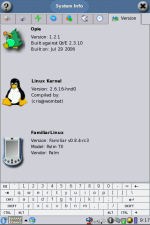
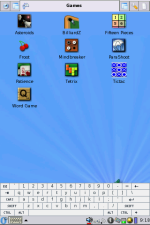
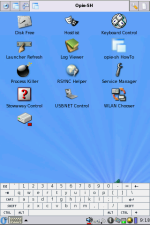
mới tìm được cho LifeDrive nè
http://hackndev.com/node/419
hướng dẫn khá kỹ nhưng có câu
"As always, use at your own risk. It works for me but that doesn't mean it will work for you. Complain at me in this thread when it doesn't"
hơi sợ ^^
toàn bộ ở đây luôn nhé
Are you tired of lousy text mode interfaces? Dying to be beaten at noughts and crosses by a small box of plastic and metal? Follow this guide of just seven easy steps and you too can have OPIE on your LifeDrive!
1. Backup everything within a 7 metre radius of your LifeDrive.
2. Grab the LifeDrive OPIE image from our
SourceForge project.
3. Decompress OPIE image. Unix users: bunzip2 Windows users:
7-zip.
4. Plug LifeDrive into PC and copy decompressed OPIE image to root directory of HDD.
5. Grab
garux-palmld-opie-20060619.prc.
6. Install it on your LifeDrive and run it.
7. To return to PalmOS, press the shutdown icon and select shutdown. Give it 20 seconds or so after the progress bar reaches 100% and press then press the reset button on the bottom of the device.
As always, use at your own risk. It works for me but that doesn't mean it will work for you. Complain at me in this thread when it doesn't. Direct thanks to Cris for the build and initrd.
1.backup
2.down về "garux-palmld-opie-20060619" tại
garux-palmld-opie-20060619.prc
3.down tiếp image "opie-image-v0.8.4-rc2-palmld-0.0.1-rootfs.ext2" tại
SourceForge project
4. bỏ cái prc vào palm\laucher\
bỏ cái image vào thư mục gốc của micro disk
5. chạy file garux okie
6 thoát linux thì soft reset